 Tempered Studio
← All apps
Tempered Studio
← All apps
Tempered Studio
← All apps
Tempered Studio
← All apps
A calm home screen
Today's schedule, what's due, the weather, and what's for dinner — pulled from what's already on your phone. No account. No feed. Nothing to set up but a couple of taps.
In TestFlight now — heading to the App Store soon

See it in action
What's happening now, what's coming, what you're building, and how it's actually been going — each one answering a single question and getting out of the way once it has.
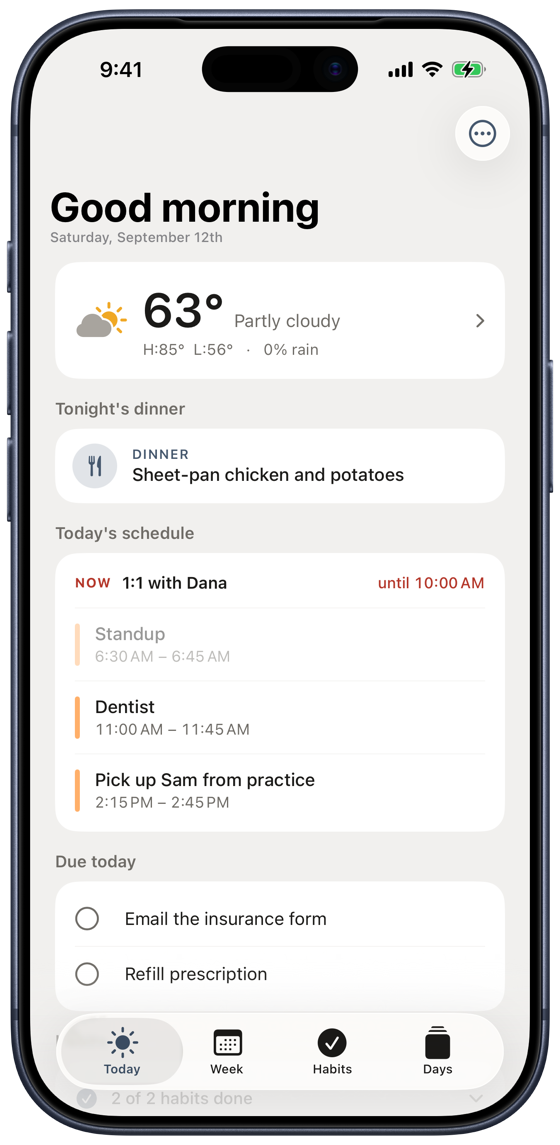
Next up, what's due, the forecast and tonight's dinner — the moment you open the app. Check a reminder off or push it to tomorrow right from the card, and tap an event to open Calendar where you left off.
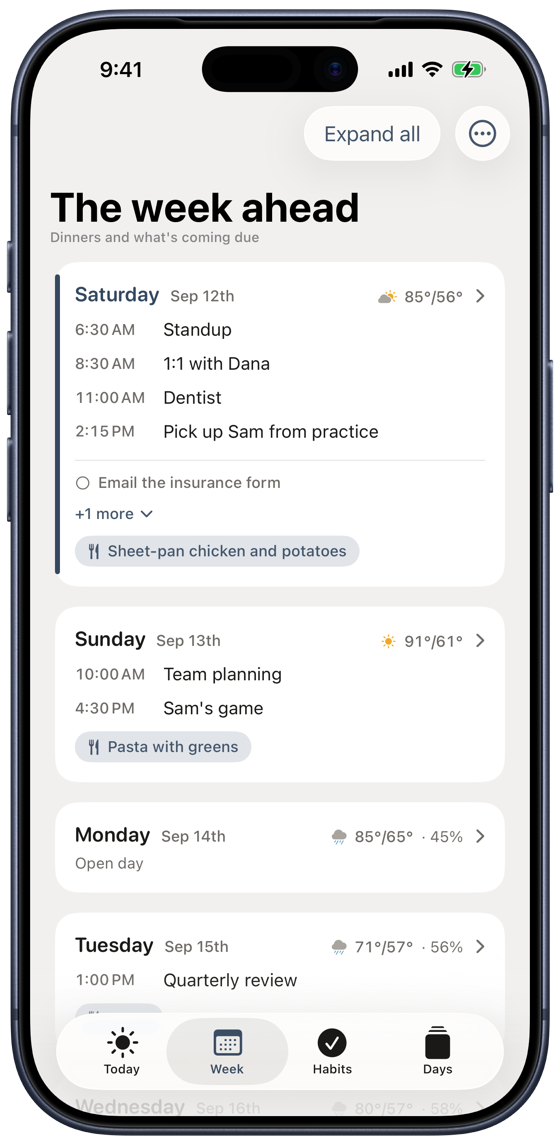
Seven days built for planning on a Sunday afternoon. Open days look open — that's the point. Tap any day for the full plan, with nothing trimmed off the end.
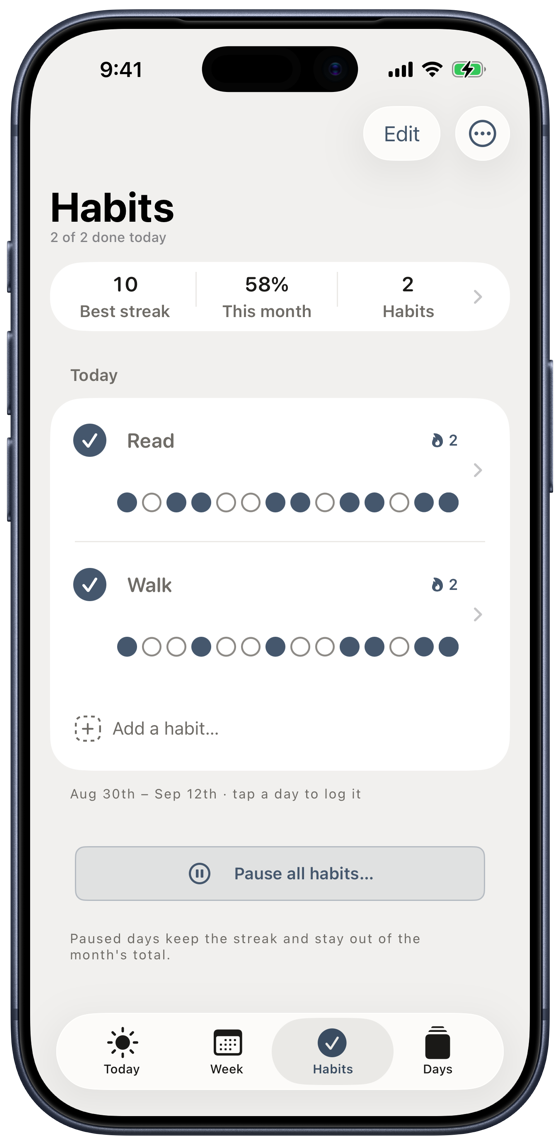
A streak, a shaded month, and each habit's last fortnight in its own row. Log a day you missed, or pause a habit for a holiday without breaking the streak.
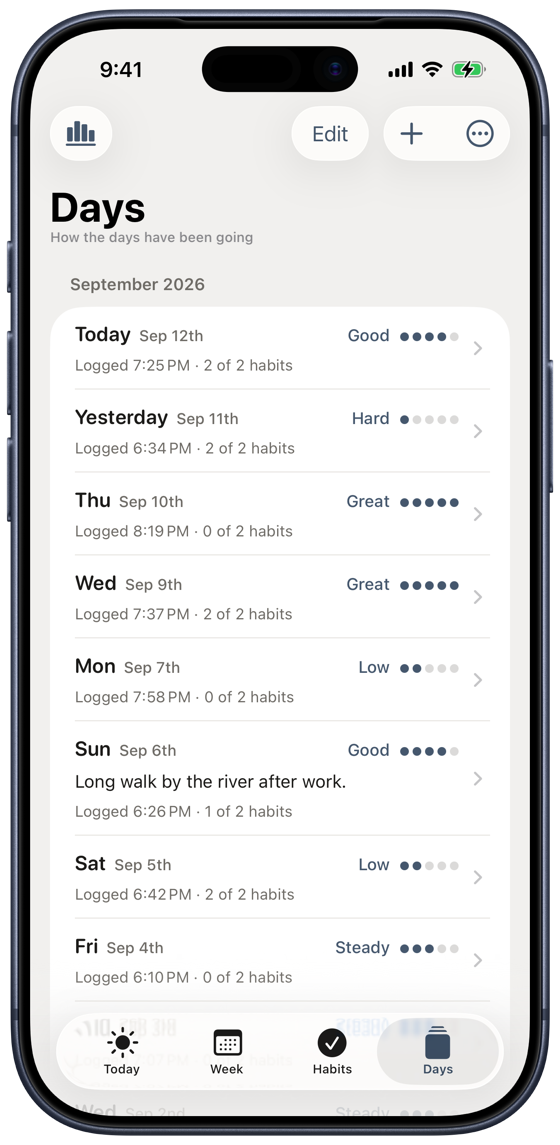
One tap in the evening rates the day and the app captures the rest itself — the habits, the events, the weather. Add a note if there's something worth remembering.
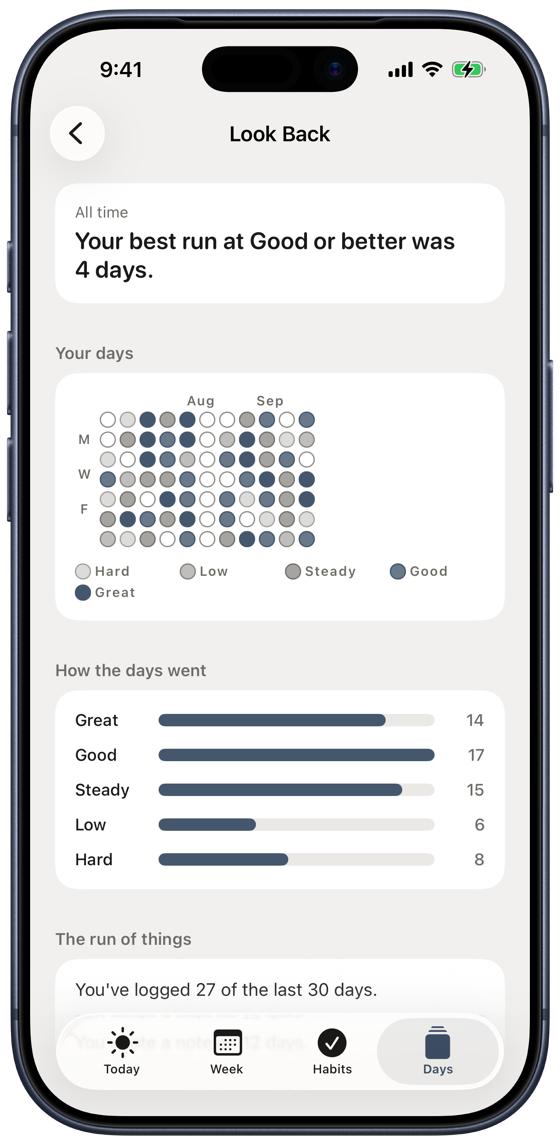
A year of logged days as a grid, how the ratings fall, and your longest run of good ones. It stays hidden until there's enough logged to say anything honest.
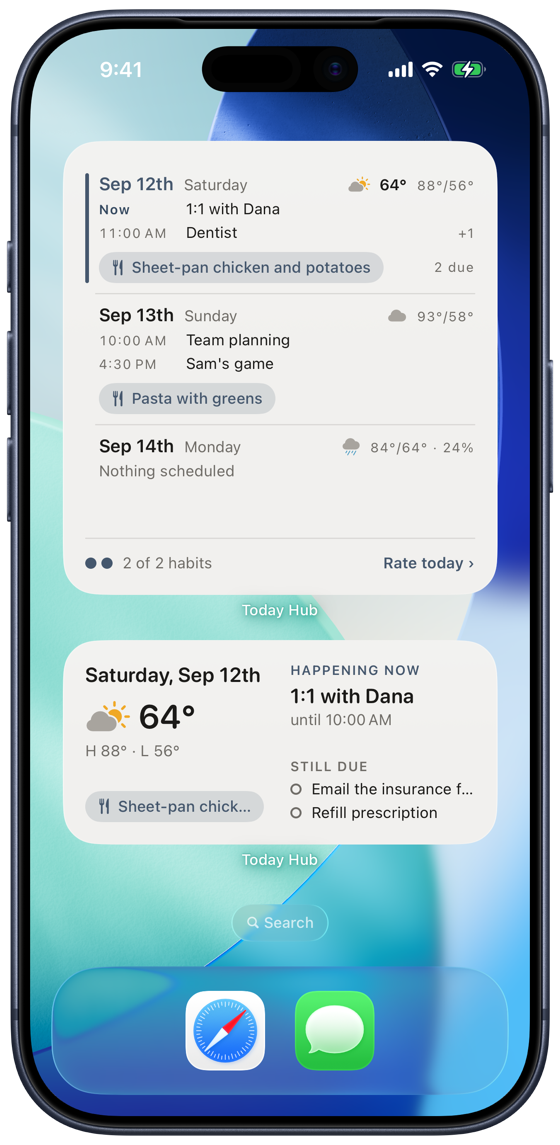
Small keeps one line each for what's next, what's due and what's for dinner. Medium takes today. Large carries the next three days, with the weather, the plans and the meals.
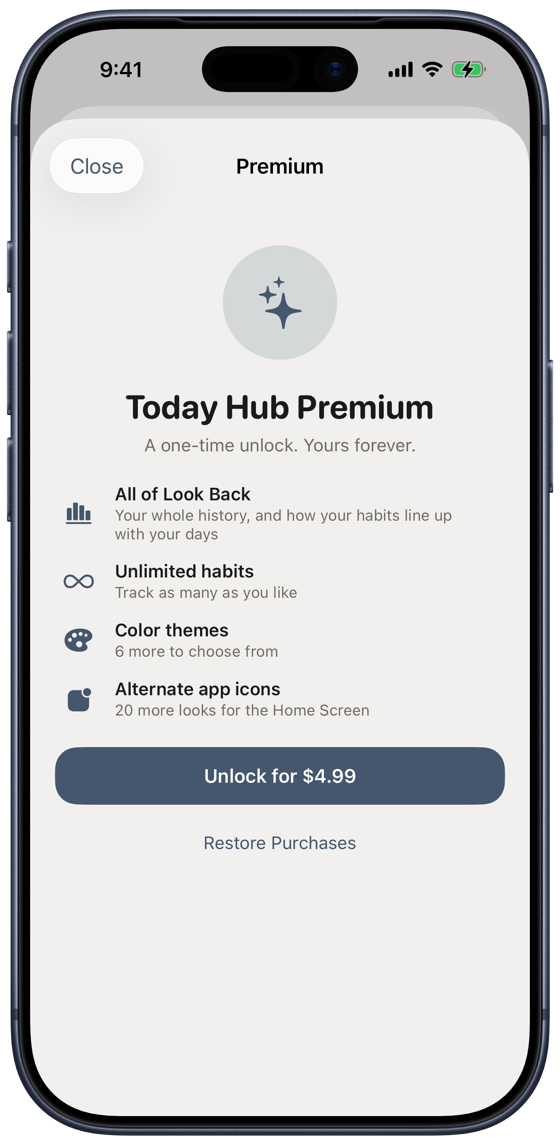
Everything that makes it a daily habit is free. Premium deepens what's already there — your whole history in Look Back, unlimited habits, six more themes and the alternate icons.
Look Back
Every day you rate is a data point. Look Back turns them into plain statements — never a score, never a streak to protect, and never a claim the numbers don't support.
It stays hidden until there's enough logged to say anything honest — and when a section is thin, it says so instead of guessing.
Make it yours
Named for the colors steel runs through as it's tempered. Steel ships free; six more shift the whole app — cards, weather glyphs, everything — right along with it. The page you're reading is Steel.
Every palette is checked against the same contrast floor in both light and dark, so picking a favorite never costs you legibility.
Private by design
Your calendar, reminders, and meals are read once, on-device, and shown back to you. They're never uploaded anywhere.
Your habits and the days you log — including anything you write in a note — back up to your own private iCloud, so they survive a new phone. That's the same place Apple's own apps keep your data. We can't read it, and there's no Tempered Studio server involved at any point.
The only thing that reaches anyone else is your location, at city-level accuracy, used to fetch the local forecast from Apple Weather. Never stored. Never linked to you. Never sold. Prefer not to share it at all? Type a ZIP code instead.